
Hall Pass Printer
May 3, 2023
Background
I teach at a public high school in Virginia. Our school has a paper hall pass system that doesn’t always work as well as we hope. Here are a few of the major challenges that we had:
- Theft: We have major issues with students stealing (and sometimes selling) blank hall passes. So even if a student is in the hall with a filled-out pass, we have no way of knowing that it’s real.
- No record: Students often ask to go to the bathroom, get a hall pass, and then never come back. Unless I hand-write a second copy of every pass for myself, I have no record of what time the student left or how long they are gone. We tried asking students to sign a sign in/out sheet, but it was rarely helpful.
- Disruption: Writing hall passes is disruptive. I spend a lot of class time working 1-on-1 with students, and every time a student needs to leave the room, I would need to pause the student I’m working with, go back to my desk, and fill out a hall pass.
There are already plenty of teachers advocating for a district-wide electronic hall pass system (like e-hallpass or SmartPass), but I knew that I could make my own solution. This project also gave me an opportunity to learn and practice with a Python library that I planned to share with my students. And as an added bonus, my students love it – they think the receipts are fun, and have asked me lots of questions about how it works.
The Solution
I call my web app D.U.C.K, which stands for “Digital Unified Classroom Keeper” and is a reference to “rubber duck debugging” (I also have rubber ducks and duck-themed decorations all over my classroom). Students load this web app from their phone or computer and make a request for a hall pass. From my phone or computer, I can approve the request, and then it automatically prints the pass for them. Here are some pictures:
-
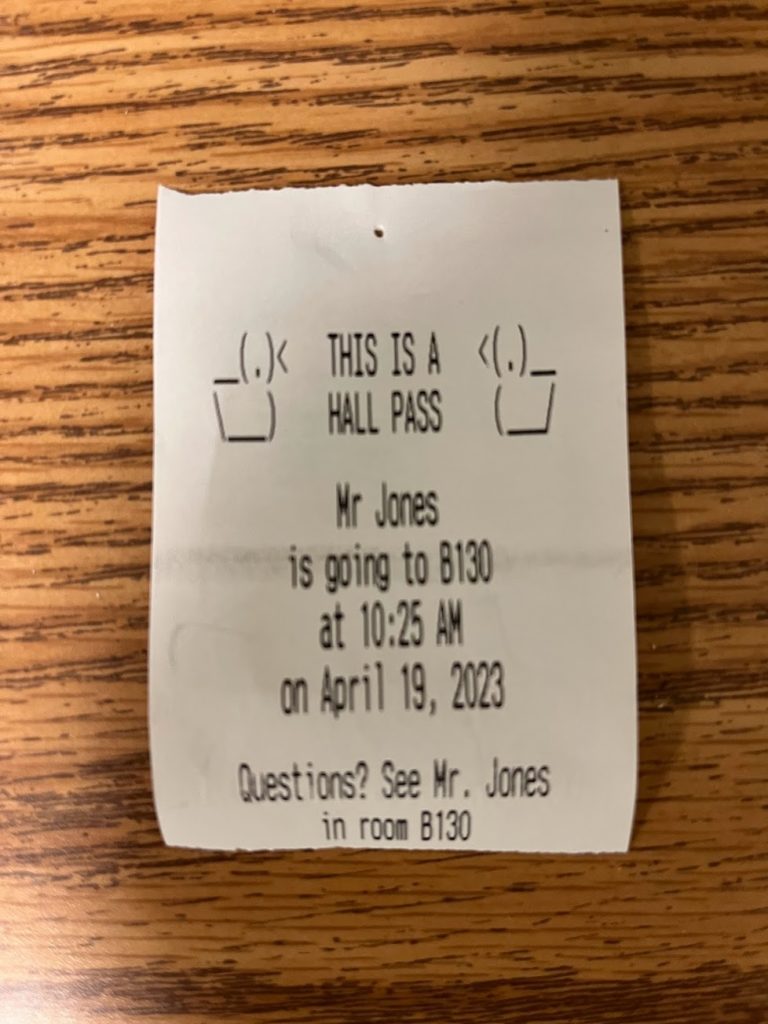
This is what the hall pass looks like. It includes all the same information from the paper hall pass.
-
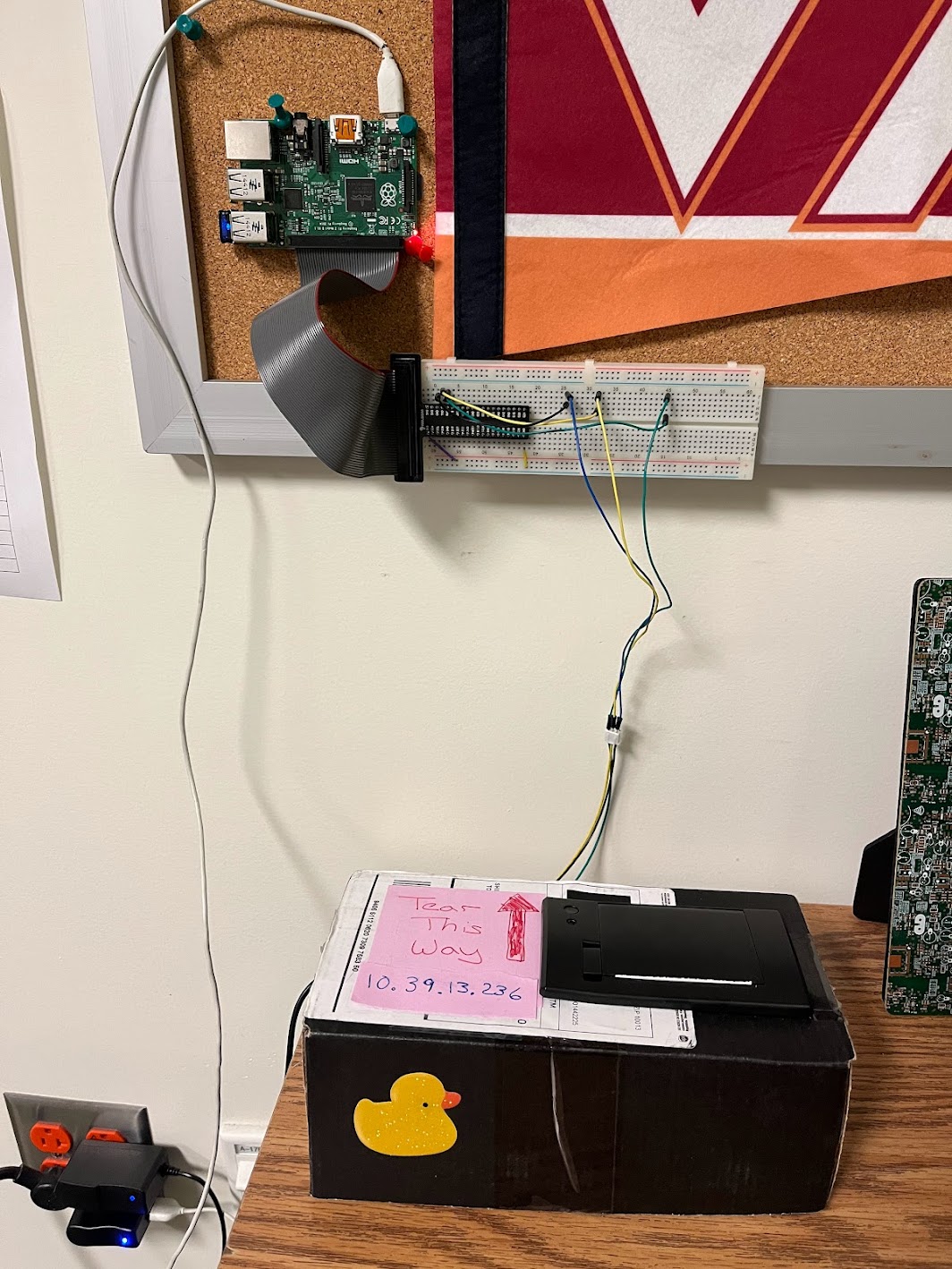
Here’s what the printer looks like right now. Originally, I had the Raspberry Pi and the breadboard all crammed into the cardboard box. Students kept asking me how it all worked, so I ended up “dissecting” it and sticking those parts to my bulletin board. I’d love to eventually come up with a better housing that would contain everything and still make the components visible.
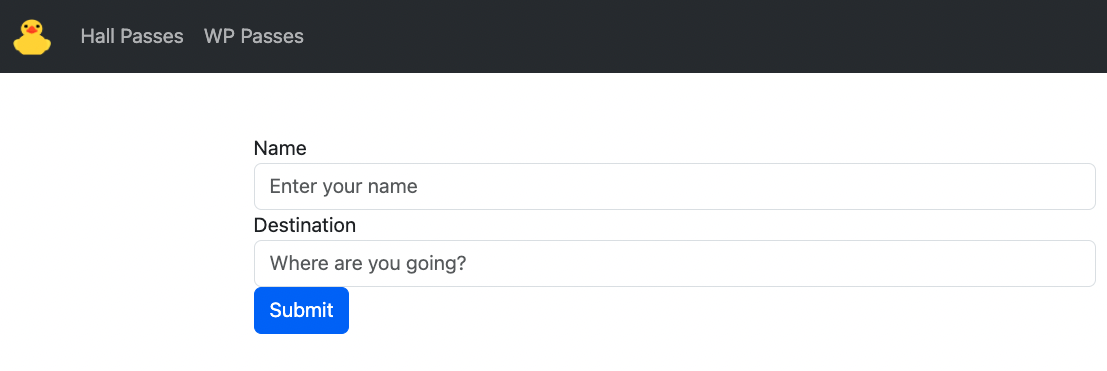
- Here is one of the menus on the student front-end. It’s simple, but it contains everything they need to request a pass.
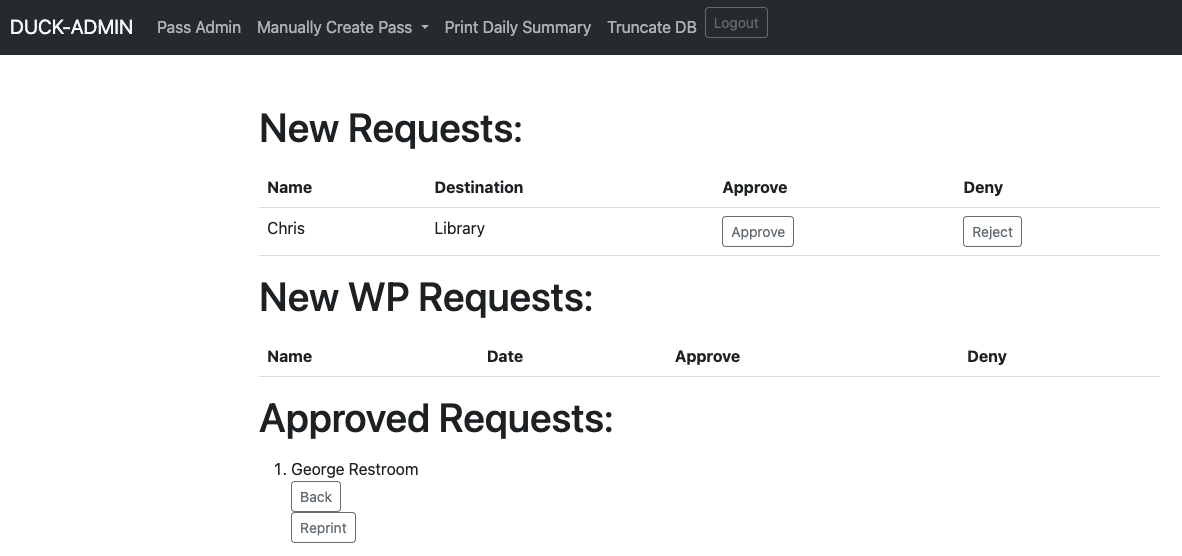
- And here’s what I see. (The names you see in the screenshot are fake.)
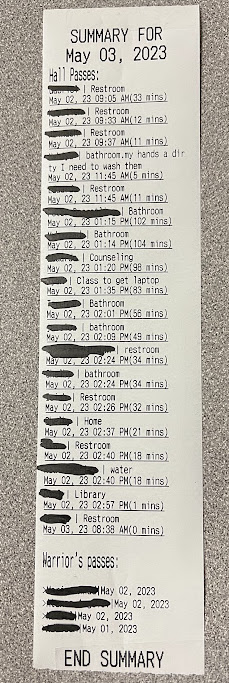
At the end of each day, the system generates a log of all the passes it printed that day and then wipes the database. I keep these logs in a desk drawer and refer back to them any time that I have attendance questions.
How I Made It
-
Raspberry Pi: The website is running on a Raspberry Pi connected to a thermal receipt printer. I got the printer from Adafruit (here), and they have tons of great documentation and starter code to handle the printing.
-
Python and Flask: The web app is written in Python and based on Flask, a popular Python web framework, and I gave it a simple Bootstrap front-end. I had already agreed to act as a “consultant” for one of my students who was doing a year-long project using Flask, so this project was my excuse to learn Flask. It was the perfect tool for the job, and I loved working with it. The web app uses a Sqlite database on the Raspberry Pi, which I manage with SQLAlchemy.
-
Front-end Design: I created two front-ends, one for students that doesn’t require any login, and an admin front-end for myself that I login to using my Google login. OAuth was also on my list of things to learn, and I found this tutorial from RealPython super helpful.
You can find all of my code on GitHub here.
Reception
I’ve been very happy with how helpful this system has been. My students noticed that I can approve from my phone quickly and without interrupting the class, so they’ve almost entirely switched to requesting hall passes with this system.
The system isn’t perfect – because students don’t need to login, I do get some “spam” requests. They’re easy enough for me to reject.
I have lots of ideas for features that I’d like to add – my next plan is to add a help queue, inspired by ClassroomQ.